Websites that operate, not decorate.
Customer portals, staff portals, management dashboards, booking and payments — multi-user systems over one live truth. The standard is threefold and non-negotiable: intuitive to use, considered in appearance, functional underneath. Most vendors manage two of the three.
Solution 03 · Client portals for engineering firms
One live truth. Every role sees its own view.
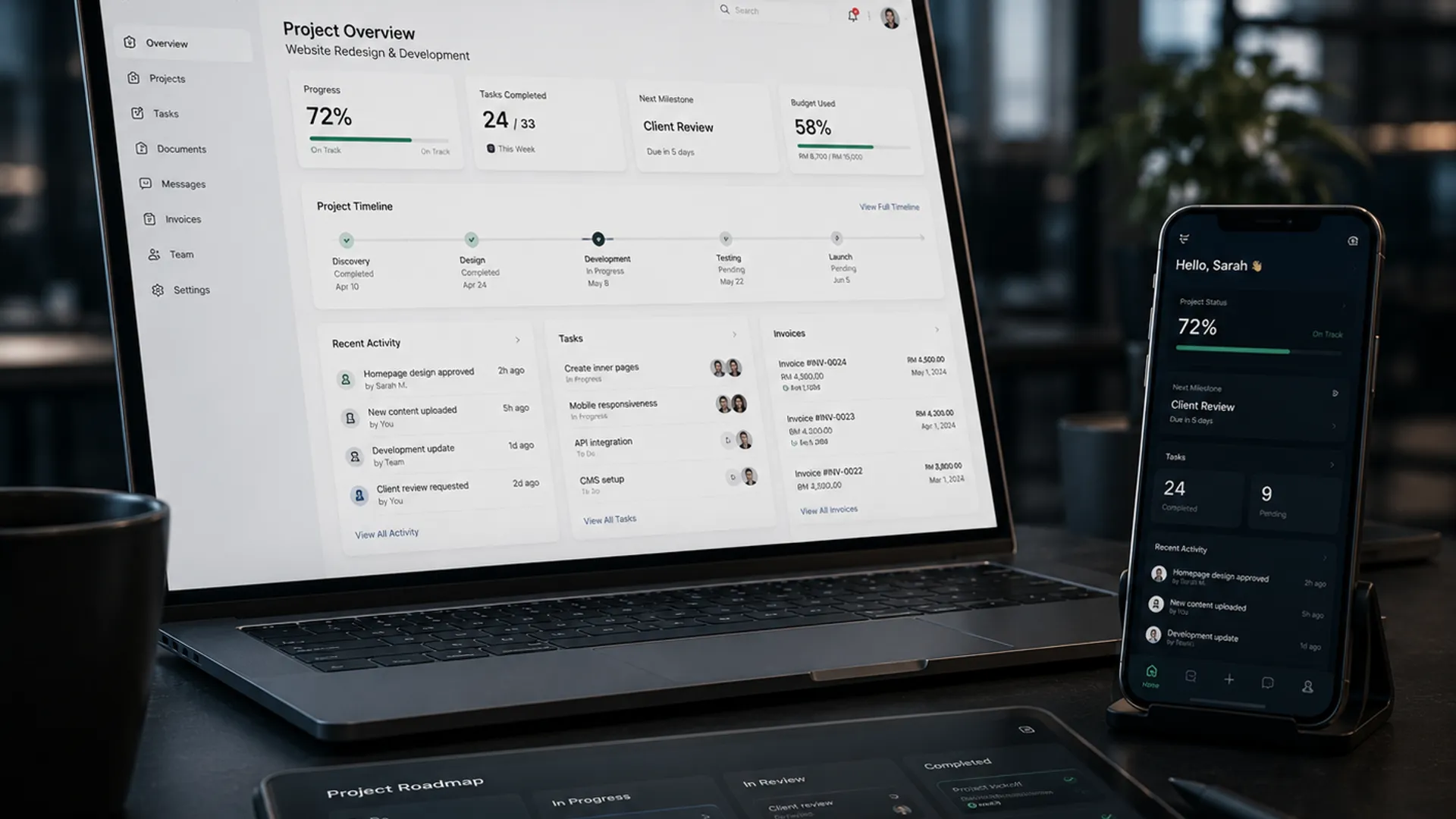 Illustrative
The problems this solves
When everyone needs a window on the same work.
Customers keep asking for status
Your team answers the same WhatsApp question, one customer at a time, all day.
Competing spreadsheets
Sales has one version, operations another. Versions everywhere; the truth nowhere.
The owner has no live view
The numbers arrive on Friday, assembled by hand — and they're already stale.
Documents live everywhere
Quotes in email, invoices in chats, schedules on paper. Finding anything is a job in itself.
Before / with Valtrin
The status question, answered once.
5 manual steps · per customer, per day
1 update · everyone sees the same truth
Built and running · see it live
Our own client portal, live — the one we demo.
The Valtrin portal runs at portal.valtrintechnologies.com — the same class of system we build for engineering clients, running on our own work. Each role sees exactly the view its work needs, and nothing it shouldn't.
Jobs with stages and dates. Documents — drawings, reports, delivery notes — in one place, with versions locked once issued. Approvals recorded with a name and a timestamp instead of a phone call. Built end to end — schema, row-level security, authentication, deployment — and walked through live in the first conversation.
Scope, stated honestly
Start with the core. Add modules when they earn their place.
The core build at Essential is a single landing page with the enquiry form and the searchable enquiry list, deployed with domain, SSL and automated backups. More pages, logins, roles and one live dataset start at Standard; customer ordering and payment at Advanced. Anything outside the three levels is a module, quoted when you decide you want it — never a surprise.
| Additional user roleA fourth role beyond the three included from Standard — e.g. adding a supplier portal alongside the customer one. |
| Document moduleUpload, versioning, controlled sharing, expiry, audit. |
| Reporting suiteOperational and management reports, export to Excel/PDF, scheduled email. |
| Second payment gatewayA further gateway beyond the one included at Advanced. |
| Data migrationStructured import from spreadsheets or a legacy system, with cleaning rules and a reconciliation report. |
| Bilingual interfaceFull BM/English (or EN/中文) interface with maintained language files. |
Every build is quoted for the job, after the diagnostic.
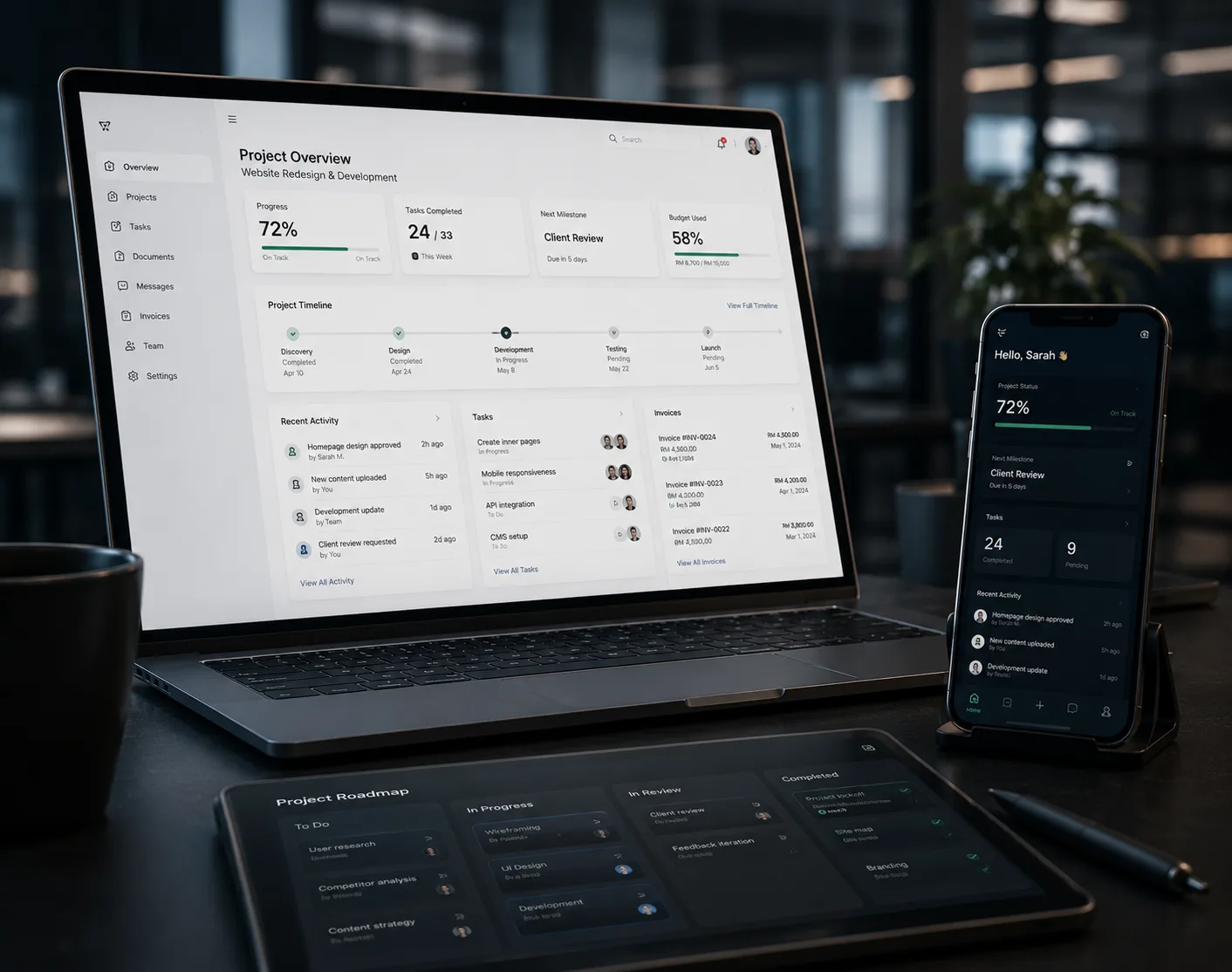
Every role sees its own view. Nobody re-types.
A portal isn't a website with a login. It's an operating system for the business: one dataset, with role-separated views over it — the customer sees their orders, staff see their work, management sees the whole board. Update once, and everyone is current.
Responsive across desktop, tablet and phone, and performance-tested on real Malaysian mobile networks — because that's where your customers will open it.
Discuss a Workflow →Websites that operate, not decorate.
Three levels of cover
How much should your customers be able to do themselves?
Every level is quoted for your job. A login bolted onto a website and a login bolted onto a system that runs your jobs are different pieces of work, so each level is scoped from what is actually in it. What is in each is listed on the card above — if anything there is unclear, ask before you commit.
Essential
The Working Website
You have a business people trust and a website that brings nothing in.
Who uses it: you and whoever answers enquiries. Nobody logs in.
Quoted
quoted for your job · 2 weeks
- One landing page, written around the one thing you most want enquiries for, and an enquiry form that works.
- No accounts and no logins — enquiries land in your email and WhatsApp and stay in one searchable list.
- Connects to your email and WhatsApp. Nothing else yet.
- You edit your own words, prices and photos.
Works for: a fabricator only ever found by word of mouth · a machine shop taking bookings by phone · a trading company with a PDF catalogue · a workshop quoting out of Facebook messages.
Where it stops: no accounts, no files, no invoices. Move to Standard when customers should be able to see their own jobs instead of phoning to ask.
The domain and hosting are in your name. We set them up; you own them.
Standard
Website + Client Login
Customers keep phoning to ask where their job is, and can you resend that document — and your own people are fine with how they work today.
Who uses it: three roles — your customers, your staff, and management — with as many customer accounts inside them as you have customers.
Quoted
quoted for your job · 9 weeks
- Your public pages, written around what you actually sell, with an enquiry form that works.
- Every enquiry in one searchable list instead of across three phones.
- A login for each customer showing only their own jobs: stage, dates, who to contact.
- Three roles over one dataset — your customers, your staff, and management.
- Files in one place: drawings, reports, photos, delivery notes.
- Invoices listed, with paid and unpaid shown plainly.
- You open and close customer accounts, and decide what each role can see.
- You edit your own words, prices and photos.
- Domain, hosting and SSL set up in your name, with automated backups.
Works for: a workshop’s main contractors · a fabricator’s repeat clients · a plant owner’s site engineers · a service company’s site managers.
Where it stops: customers can look, not transact. Move to Advanced when they should be placing orders or booking slots themselves.
How your own staff run the job internally stays as it is today — internal job-running is Estimating & Engineering Software.
Advanced
Customers Order and Pay Themselves
The same customers reorder the same things, and every order still goes through a person.
Who uses it: repeat customers, ordering on their own — and whoever in your office used to key those orders in.
Quoted
quoted for your job · 16 weeks
- Your public pages, written around what you actually sell, with an enquiry form that works.
- Every enquiry in one searchable list instead of across three phones.
- A login for each customer showing only their own jobs: stage, dates, who to contact.
- Three roles over one dataset — your customers, your staff, and management.
- Files in one place: drawings, reports, photos, delivery notes.
- Invoices listed, with paid and unpaid shown plainly.
- Ordering from the customer’s own login, with their history and repeat-order shortcuts.
- Booking and scheduling, with availability shown and double-bookings refused by rule.
- Malaysian online payment (FPX or card), with receipts issued automatically.
- Orders landing in up to two systems you already use — accounting, inventory, or both.
- Customers manage their own accounts: registration, password reset, details, order history.
- You change products, prices, slots and availability yourself.
- Training for every role that uses it, and 30 days of support after go-live.
Works for: repeat parts orders · maintenance call-outs · machine-time bookings · service call-outs · standing wholesale orders · equipment hire.
Where it stops: your customers transact, but the system does not run the job internally. When the calculations and approvals behind the order also need building, that is Estimating & Engineering Software Advanced.
Go-live depends on your payment gateway approval, which the bank controls and we do not. Everything else is finished and waiting before that.
FAQ
Asked before every system.
Is this just a website?
Both, in order. Essential is the website that brings work in. From Standard it also runs part of the business — logins, roles, live data and documents — and at Advanced customers order and pay. You start with the shopfront and add the operating layer when customers should be able to see their own jobs.
What do we pay monthly?
No licence fee — the system is yours outright. Two things are separate from that. Hosting, domain and SSL are a real running cost for anything with a website — typically RM 50–150 a month, billed at cost and itemised, and you can hold the accounts in your own name. Support is free for 30 days after go-live; after that the Continuous Development Plan is optional, 20% of the build price a year, billed monthly, cancel any month.
Can we start small and grow?
That's the recommended path. Start with the core and the roles that matter most; add roles and modules when the operation demands them, each quoted when you decide you want it. The architecture is built expecting that growth.
What happens to our existing data?
It migrates. Structured import from your spreadsheets or legacy system, with cleaning rules agreed up front and a reconciliation report so you can verify nothing was lost or mangled on the way in.
Typical engagement
From brief to handover.
Workflow Review
Who needs a window on the work, and whether a system earns its keep.
Brief & wireframes
Roles and journeys mapped, critical screens agreed before any visual design. RM 2,500, credited in full against the build.
The build
Quoted, with a page and function inventory as the written scope boundary.
Deploy & hand over
Domain, SSL, backups, admin training, documentation — and 30 days support.