One task. One tool. Built to your method.
Custom engineering and operations software for the workflow no vendor sells. The tool does one job — the job your people repeat every week — and does it faster than any general product can, because it encodes your method, your rates, your formats.
Solution 01 · Estimating & engineering software
Your rates. Your rules. Validated against your own results.
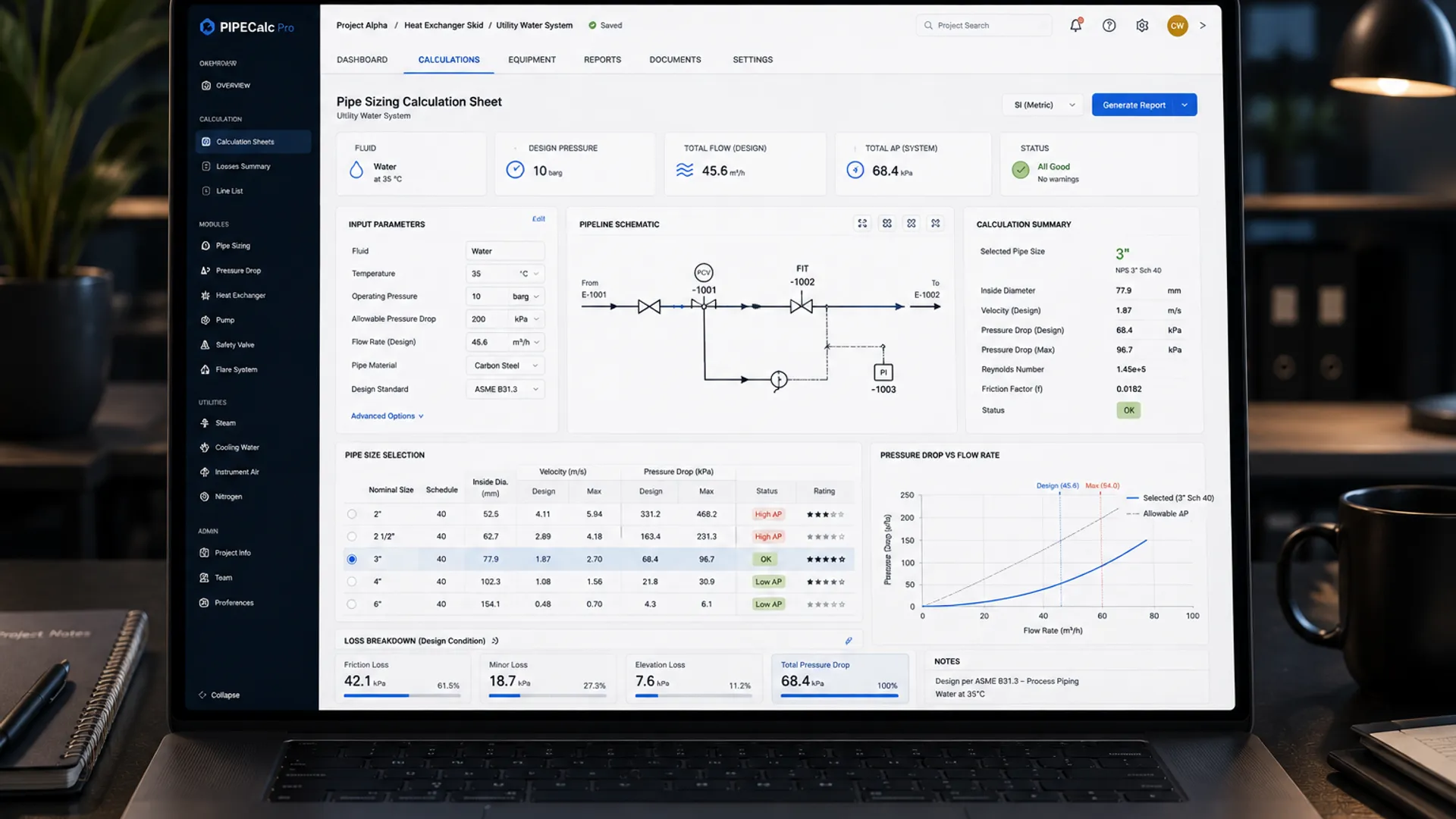 Illustrative
The problems this solves
Built for the job your team repeats.
Quotations take hours
Your engineer rebuilds the same costing spreadsheet every week — and every revision starts it again.
One spreadsheet, one person
The formulas are trusted only by their author. Everyone else is afraid to touch the file that runs the business.
Documents rebuilt by hand
The same quotation, BOM and report re-assembled and re-formatted in Word, job after job.
No revision history
REV B to REV C is explained from memory. Nobody can show what changed, or why the price moved.
Before / with Valtrin
The same quotation, held differently.
6 manual steps · every quotation, every revision
1 manual step · the rest is the system's job
Our own tool · real and demonstrable
A fabrication estimating engine, deterministic to the kilogram.
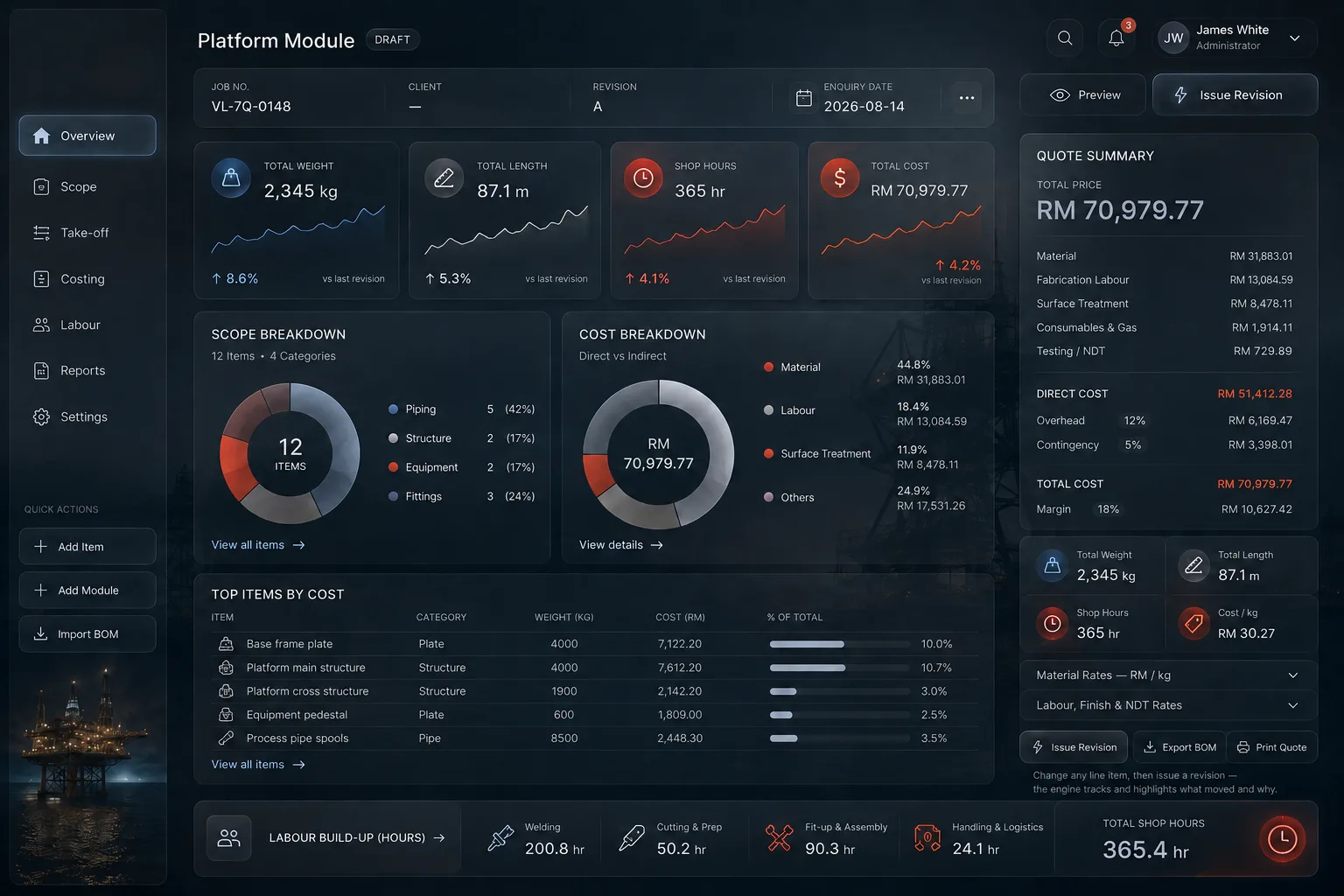
Number, client, enquiry date — the register starts here, not in a filename.
Plate, pipe, sections, flanges — weights and material cost computed from published data as you type.
Material, labour, treatment, inspection, overhead, margin — assembled the way a shop actually costs a job.
REV B to REV C shows every delta, signed. The spreadsheet can't tell you why — this can.
Quotation, weight, BOM and labour build-up computed from published engineering data. Every rate is editable, because in a real build the rates are yours. Nothing is a lookup of a finished price — the cost builds up the way a shop builds it, which is why it can be validated against quotes already issued.
What we typically build
Tools shaped like your work.
What can be added later
A tool doesn't have to arrive finished. These are the extensions most often added once the first version is in daily use — each one quoted when you decide you want it, never billed by the hour.
| Additional cost/logic moduleA further calculation domain within the same tool — e.g. adding surface-treatment costing to an estimating engine. |
| Excel/CSV bulk importStructured importer for a legacy data source, including cleaning rules. |
| Branded document enginePixel-accurate PDF output in your quotation or report format, multi-template. |
| Revision & audit historyWho changed what, when — and the delta between issued revisions. |
| Dashboard & analytics layerManagement view over the tool's accumulated data — trends, win rates, margins. |

Excel in. PDF out. Your templates, your numbering.
A custom-built tool doesn't ask your team to change how they work. It reads the files you already have, loads your rate tables, material libraries and standard items, and produces documents in the format your customers already recognise.
Then it's validated the only way that matters: against results you already trust, on cases you choose, to a tolerance agreed in writing before the build starts.
Discuss a Workflow →System architecture
Custom software is also an assembled system.
One task. One tool. Built to your method.
Hold the documents
Engineers judge vendors by the documents they issue.
These are the live demo’s actual outputs — not mockups. Open them, check the arithmetic, argue with the going. That is the point.
Three levels of cover
How far do you want it to reach?
Every level is scoped in the Workflow Blueprint (RM 2,500 after the review, credited in full against the build) before a quote is issued — and every level carries the same guarantee: if it can't reproduce results you already trust, you don't pay the balance. Support is free for 30 days after go-live. After that the Continuous Development Plan keeps it patched, backed up and fixed — optional, 20% of the build price a year, billed monthly, cancel any month.
Essential
One Tool, One Job
One job eats the week, and one person owns it.
Who uses it: one person at a time — the estimator, the coordinator, whoever owns the job today. Everyone else gets what it produces, not the tool.
Quoted
quoted for your job · 9 weeks from Blueprint sign-off
- Your own rules — rates, formulas, standard items — built in, and proven against ten jobs you have already done.
- One login. No roles, no approvals, nobody signing anything off.
- Reads the files you already keep: your Excel, your rate tables, your templates. Nothing else is connected yet.
- You change rates, materials, margins and the document wording yourself, without calling us.
Works for: quoting and take-offs · a drawing or job register · shift and output records · equipment and bay booking, site attendance · stock allocation. Any job whose rules are written down somewhere.
Where it stops: one person in the tool, and nothing gets checked before it leaves. Move to Standard when a second person needs their own login, or when a number should be approved before it goes out.
Scoped in the Workflow Blueprint before the quote is issued.
Standard
Your Whole Team On It
Several people do the job, and money leaks because nobody checks before it leaves.
Who uses it: your team — everyone who touches the job gets their own login, and one of them is the approver.
Quoted
quoted for your job · 14 weeks from Blueprint sign-off
- Your own rules — rates, formulas, standard items — built in, and proved against ten jobs you have already done.
- Documents out on your letterhead, your numbering, your terms.
- Every job saved and searchable: who did what, and when.
- Roles and approvals — juniors prepare, you sign off anything below your floor margin.
- Every person who touches the job has their own login and sees only what their role needs.
- Connects to one system you already run — accounting, inventory or CRM — so figures are typed once.
- You add and remove people, change rates, and move the approval limit yourself.
- Half a day of training on site, and one written page per role.
- Source code, deployment and documentation handed over. You own all of it.
Works for: an estimating team with a signing limit · a service desk with a supervisor · a stores clerk and a buyer · a drawing office and its lead engineer.
Where it stops: everyone with a login works for you. Move to Advanced when someone outside the company needs to see their own job.
One connected system at this level; a second one is quoted separately. If the two systems only need to pass information to each other and nothing new has to be calculated, that is Engineering Workflow Automation at Standard level.
Advanced
Your Team, Plus Your Customers
You need the tool that runs the job and a way for customers to watch it — the calculations, the approvals and the customer view in one system.
Who uses it: your team, plus your customers — each customer sees only their own jobs.
Quoted
quoted for your job · 28 weeks from Blueprint sign-off
- Your own rules — rates, formulas, standard items — built in, and proved against ten jobs you have already done.
- Documents out on your letterhead, your numbering, your terms.
- Every job saved and searchable: who did what, and when.
- Roles and approvals — juniors prepare, you sign off anything below your floor margin.
- Every person who touches the job has their own login and sees only what their role needs.
- Connects to up to three systems you already run — accounting, inventory, CRM — so figures are typed once.
- A customer-facing side of the same system: each customer logs in to their own jobs.
- Documents, drawings and delivery notes reach the customer the moment you change them.
- A phone app in the app stores, for your team and your customers.
- Card payments and Malaysian online payment, with receipts issued automatically.
- Your existing data migrated in — the spreadsheets and the system you run today.
- On-site training for every role, and a written runbook so you are not dependent on us.
- Thirty days of support after go-live, with a review against your own baseline before it ends.
- Source code, deployment and documentation handed over. You own all of it.
Works for: a fabricator with repeat main contractors · a workshop with fleet customers · a steel stockholder with account customers · a machine shop with repeat OEM customers.
Where it stops: this runs your business, not your shopfront. A public marketing site to be found by people who have never heard of you is Client Portals for Engineering Firms, quoted alongside rather than instead.
A phone app and card payments are included at Advanced only. At Levels 1 and 2 both are separate builds, quoted on their own.
FAQ
Asked before every build.
Who owns the software?
You do — outright. Source code delivered, no licence fees, no lock-in — nothing you pay us for the right to keep using it. Take it to another developer tomorrow if you want to. Valtrin retains only the right to reuse generic, non-confidential logic.
What does it really cost?
Every build is quoted for your job. Three levels — Essential, Standard and Advanced — set how far the tool reaches, and what each one includes is listed on the three level cards on this page. The Workflow Blueprint (RM 2,500 after the review, credited against the build) defines the scope, and the quotation follows from it. Every build is quoted for the job, after the diagnostic.
How do we know the numbers are right?
Validation is written into the engagement: the system must reproduce results you already have, on cases you choose, to a tolerance agreed in writing before the build starts — or the final balance is not payable.
Should we just stay in Excel?
Maybe — Excel is not the problem. The problem begins when multiple versions circulate, one person understands the formulas, data is entered repeatedly and there is no audit history. We replace the workflow when the workflow has outgrown it. If Excel still fits, we'll say so in the free review.
Typical engagement
From blueprint to working tool.
Workflow Review
An honest first look at the process — and whether it's worth building for at all.
Workflow Blueprint
The process mapped, costed and specified. RM 2,500, credited in full against the build.
The build
Quoted per the specification. Your real data loaded, two revision rounds.
Validate & hand over
Reproduces results you already trust. Training, documentation, and 30 days support.